
What does HMI mean?
HMI stands for Human Machine Interface. In industrial automation, it is the interface used by operators, technicians and engineers to view machine information and interact with the control system.
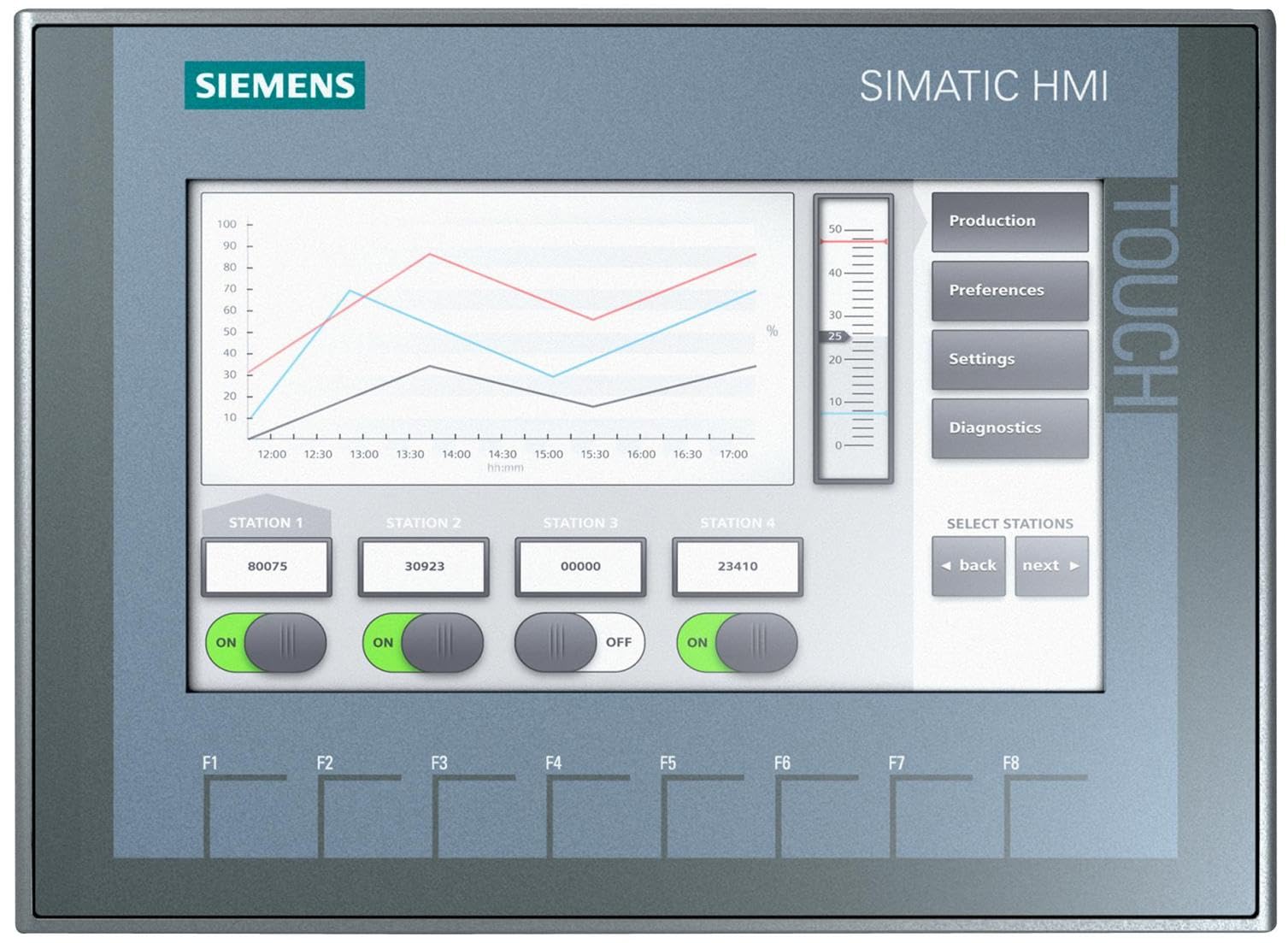
An HMI might be a small operator panel, a touchscreen on a machine, or part of a larger supervisory system. On a training kit, the HMI helps learners see how buttons, lamps, statuses and setpoints can be shown on a screen instead of only using physical devices.
What is the difference between a PLC and an HMI?
The PLC controls the machine. The HMI lets a person interact with the machine. The PLC reads inputs, runs logic and controls outputs. The HMI displays information from the PLC and can send operator commands or settings back to the PLC.
What is an HMI used for?
Good HMI design helps the operator understand what is happening quickly. It should not be a cluttered screen full of random buttons. It should show the right information at the right time.
How does an HMI communicate with a PLC?
An HMI communicates with a PLC over an industrial network or communication link. In many modern Siemens training and machine-control setups, Ethernet-based communication is common. The HMI reads and writes PLC tags that have been configured in the project.
For example, the HMI may read a tag called Run_Lamp to show a running indicator on screen. It may write to a tag called Start_Command when the operator presses a start button on the HMI.
What makes a good beginner HMI screen?
A good beginner screen is clear, simple and useful. It should show machine state, key commands, important values and any faults that need attention. Colours and labels should be used carefully so learners do not confuse normal status with alarms.
For PLC training, a strong first HMI project is a start/stop screen with a run indication, fault reset, timer display and counter value. That small screen teaches a lot without overwhelming the learner.
Common beginner HMI mistakes
Common beginner mistakes
- Thinking the HMI controls outputs directly. In a normal PLC system, the PLC should remain responsible for the control logic.
- Putting too many buttons and values on one screen.
- Using unclear labels, colours or symbols.
- Forgetting that an HMI button is a software command, not the same thing as a hardwired safety device.
Frequently asked questions
What does HMI stand for?
HMI stands for Human Machine Interface.
Is an HMI the same as a PLC?
No. The PLC runs the control logic. The HMI is the operator interface used to view information and send commands or settings.
Can a machine run without an HMI?
Yes, some machines can run with physical buttons and indicators only. An HMI is used when operators need clearer information, settings, alarms or visual control.
Does an emergency stop belong on an HMI?
No. Emergency stop functions should use correctly designed and rated safety hardware, not only a software button on an HMI screen.
Why are HMIs useful for training?
HMIs help learners see how PLC tags, machine status, operator commands and diagnostics connect in a real automation project.