
PLC BASICS
PLC BASICS
LEARNING PATHWAY
Start here if you are new to automation. Learn what PLCs are, how inputs and outputs work, what the scan cycle does, and how ladder logic fits into real control systems.
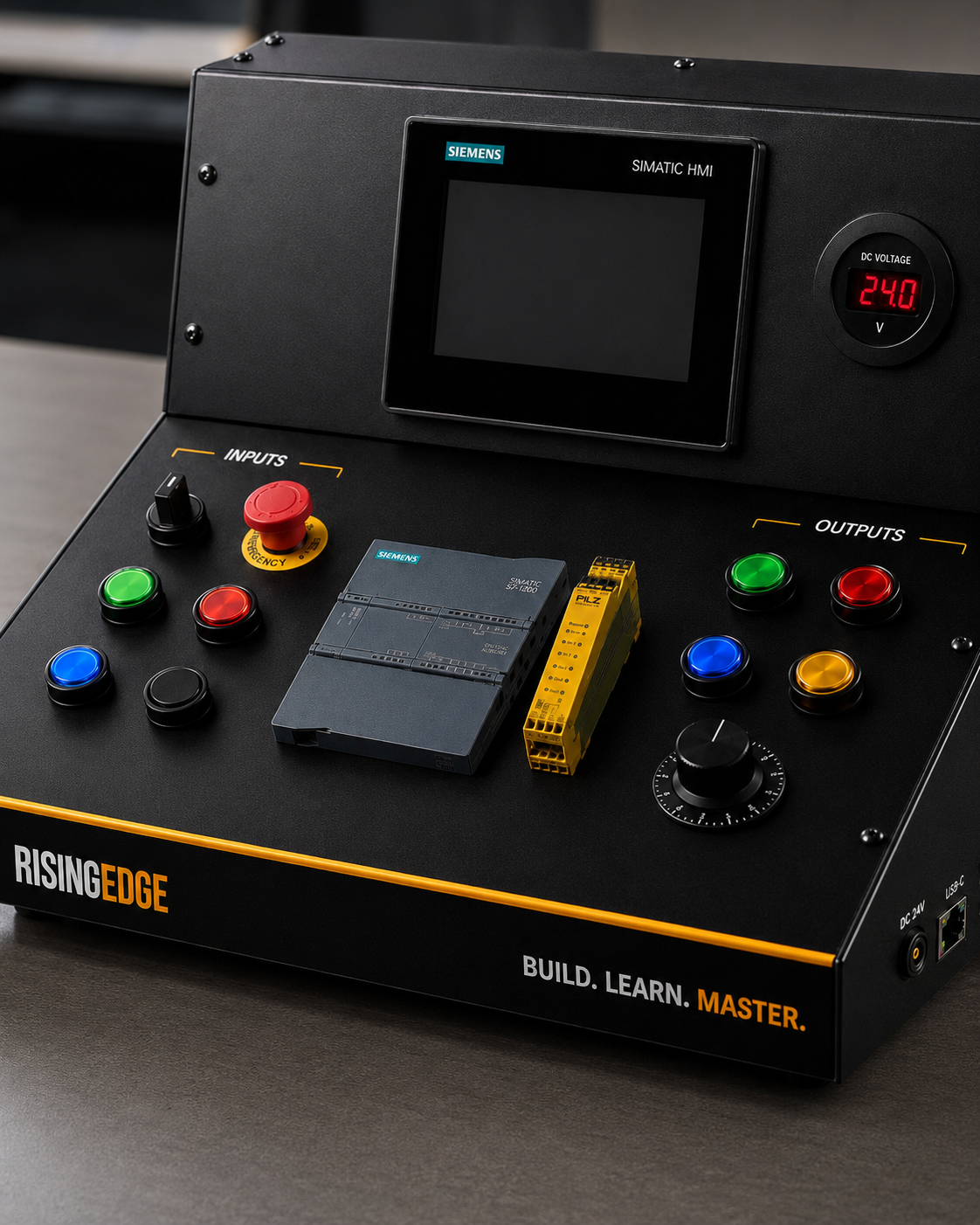
This pathway gives beginners the foundation before moving into Siemens software, TIA Portal and hands-on kit projects.
Build the core ideas first.
This pathway gives beginners the foundation before moving into Siemens software, TIA Portal and hands-on kit projects.
Recommended order: PLC overview, inputs and outputs, scan cycle, then ladder logic.
START HERE
START HERE
Follow the guides in a sensible order. Live guides open now, planned guides show what is coming next.
What Is a PLC?
Learn what a programmable logic controller does and why PLCs sit at the heart of modern automation.
Read the guide →PLC Inputs and Outputs Explained
Understand the signals that connect pushbuttons, sensors, lamps, relays and actuators to a PLC.
Read the guide →PLC Scan Cycle Explained
Learn how a PLC reads inputs, runs logic, updates outputs and repeats the process in real time.
Read the guide →What Is Ladder Logic?
Get a beginner-friendly introduction to contacts, coils, rungs and basic PLC logic patterns.
Read the guide →Digital vs Analogue PLC Signals Explained
Learn the difference between simple on/off signals and changing analogue values.
Read the guide →PLC Memory Bits Explained
Understand internal bits and why they are useful in PLC programs.
Read the guide →PLC TRAINING
HANDS-ON LEARNING GUIDES
These guides explain how training kits and simulators fit into the beginner learning journey.
What Is a PLC Training Kit?
Learn what a PLC training kit is, what it includes and why real hardware helps learners build confidence.
Read the guide →PLC Training Kit vs PLC Simulator
Compare software simulation with hands-on hardware learning and understand where each one fits.
Read the guide →COMING NEXT
COMING NEXT
These planned guides show where the pathway is heading next.
PLC Timers Explained
A clear beginner guide to timer instructions and timing logic.
Planned guidePLC Counters Explained
Learn how counters are used to count parts, cycles and events.
Planned guideMORE PATHWAYS
KEEP BUILDING
Move between pathways as your confidence grows. Each route builds confidence step by step, from core ideas to more focused automation topics.
PLC Basics
PLCs, I/O, scan cycles and ladder logic foundations.
Explore pathway → 02Siemens & TIA Portal
S7-1200, tags, software terms and beginner Siemens workflows.
Explore pathway → 03Industrial Control
24VDC control, safety devices, relays, indicators and panel components.
Explore pathway → 04Automation Careers
Routes into PLC programming, automation engineering and upskilling.
Explore pathway →HOW TO USE THIS PATHWAY PROPERLY
A practical plain-English section to help learners understand the topic, connect it to real work and know what to practise next.
The best way to use this pathway is to move in order. Start with what a PLC is, then learn inputs and outputs, then ladder logic, then the scan cycle. Each topic supports the next one.
Do not rush past the basic ideas. Most real PLC fault finding comes back to simple questions: is the input on, is the logic true, is the output commanded, and is the field device working? Those questions are basic, but they solve real problems.
After reading each guide, do one small practical task. Draw a signal path, write a rung, name a tag, or explain a fault scenario. Short active practice turns reading into useful engineering understanding.
A good beginner should aim to explain the system in plain language. For example: the start button turns on a PLC input, the ladder logic checks the stop condition, the run output energises, and the lamp shows the result. That sentence is simple, but it is the heart of PLC control.
Try this next
Pick one guide from this pathway, read it fully, then write down one real-world example and one fault you would check first. That small habit turns passive reading into practical engineering confidence.
FREQUENTLY ASKED QUESTIONS
What are PLC basics?
PLC basics include understanding what a PLC does, how inputs and outputs work, how ladder logic is read and how the scan cycle controls program behaviour.
Which PLC topic should beginners learn first?
Start with what a PLC is, then inputs and outputs, then ladder logic and the scan cycle.
Can I learn PLC basics without hardware?
You can learn the theory, but hardware makes the signals, wiring and testing process much easier to understand.
How long does it take to learn PLC basics?
You can understand the core ideas quickly, but confidence comes from repeated practice with small circuits, programs and fault-finding tasks.
CONNECT. PROGRAM. MASTER.
READY TO LEARN
WITH REAL HARDWARE?
Rising Edge training kits are being developed to help learners build real PLC confidence through hands-on practice with professional industrial hardware.